
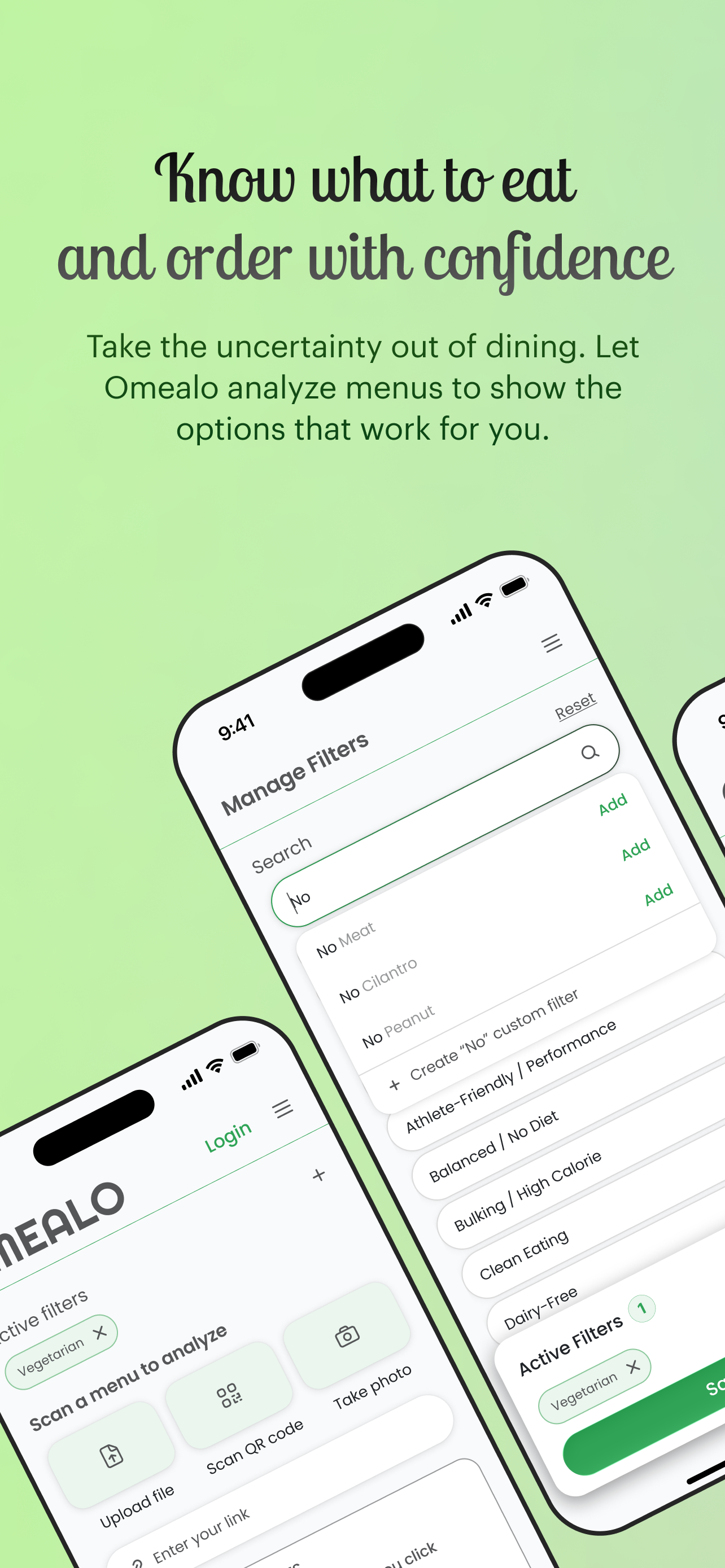
Add your filters
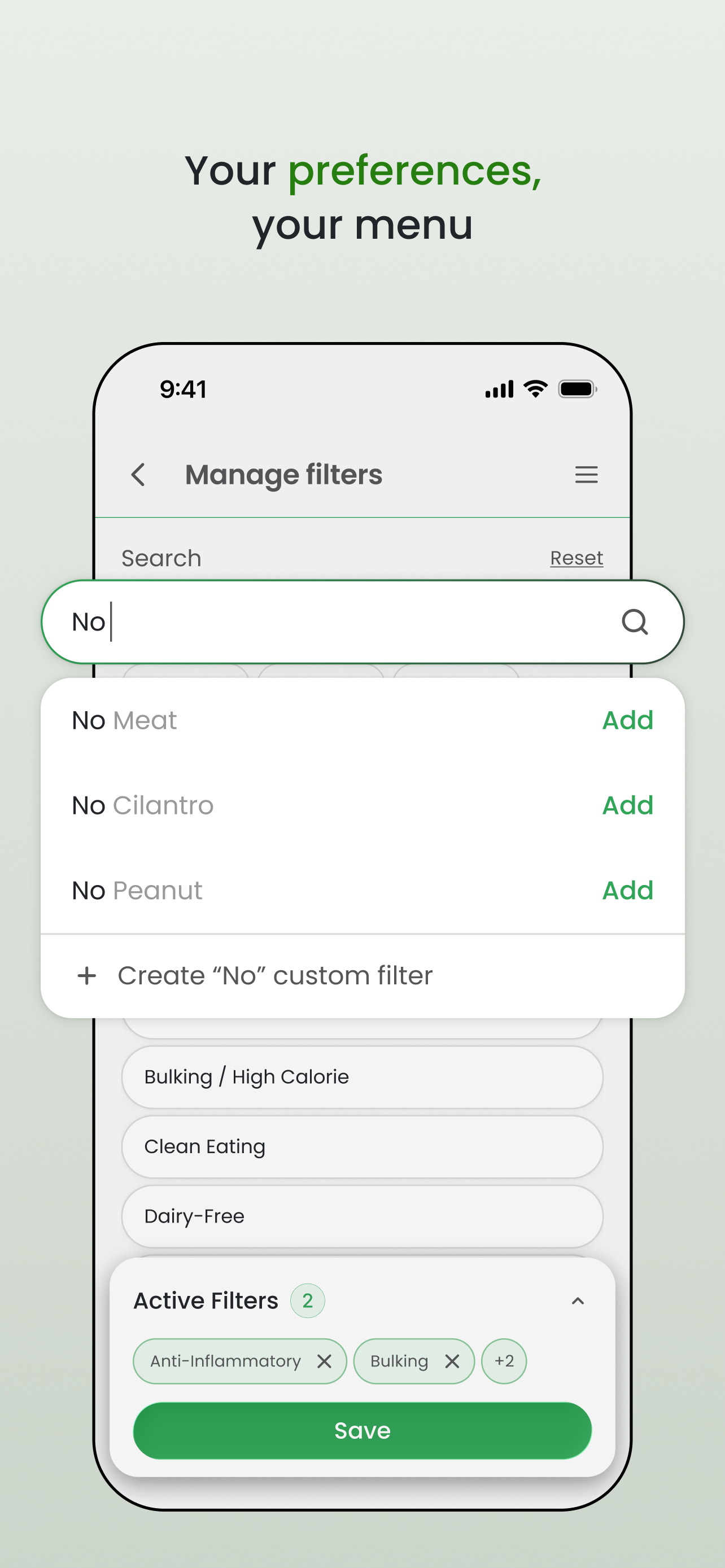
Select allergies, diets, dislikes, cravings, and custom ingredient rules so Omealo understands how you eat.
 OMEALO
PERSONALIZED MENU DECISIONS
Menus are made for everyone. Omealo makes them personal - showing what fits your dietary preferences, restrictions, and goals.
How to use Omealo
Select allergies, diets, dislikes, cravings, and custom ingredient rules so Omealo understands how you eat.
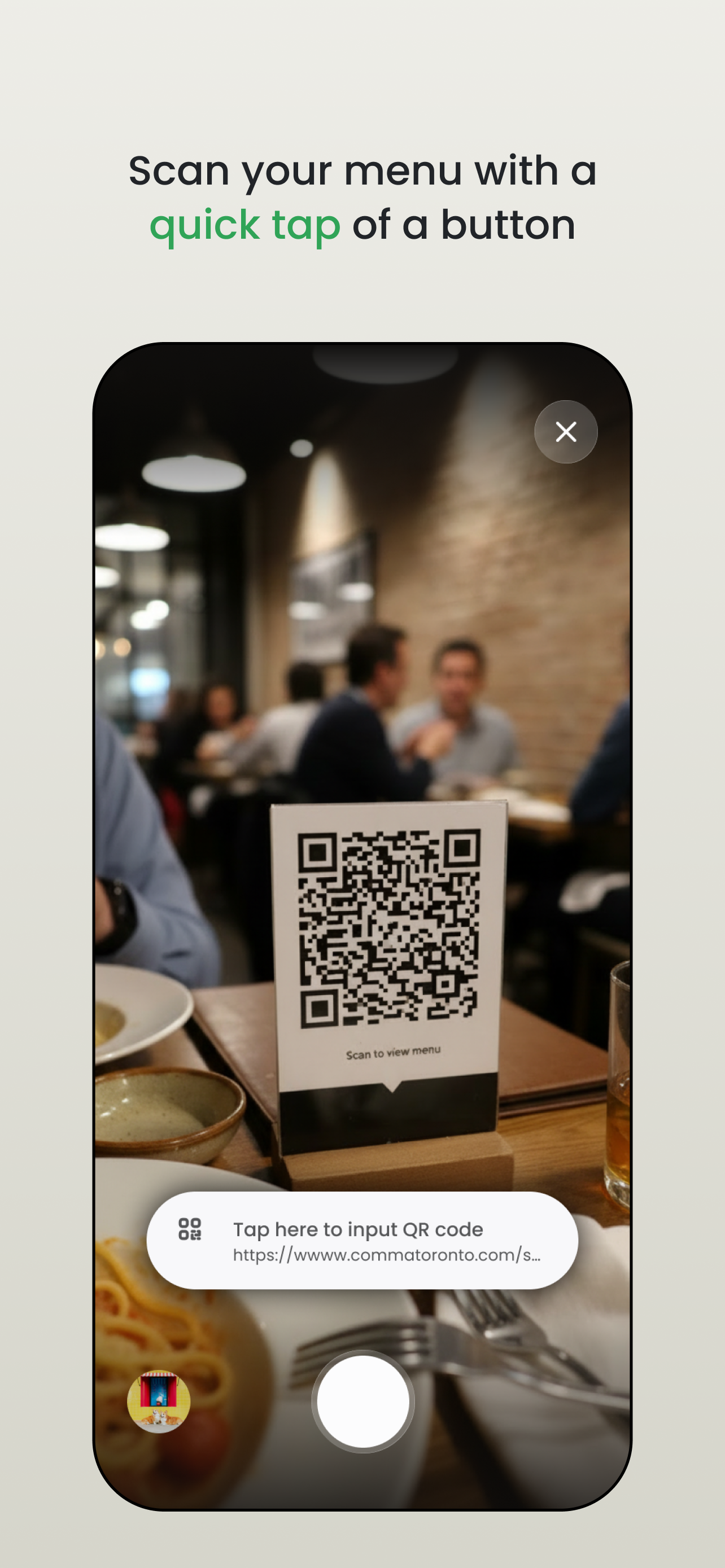
Take a photo, scan a QR code, paste menu text, or open a menu link.
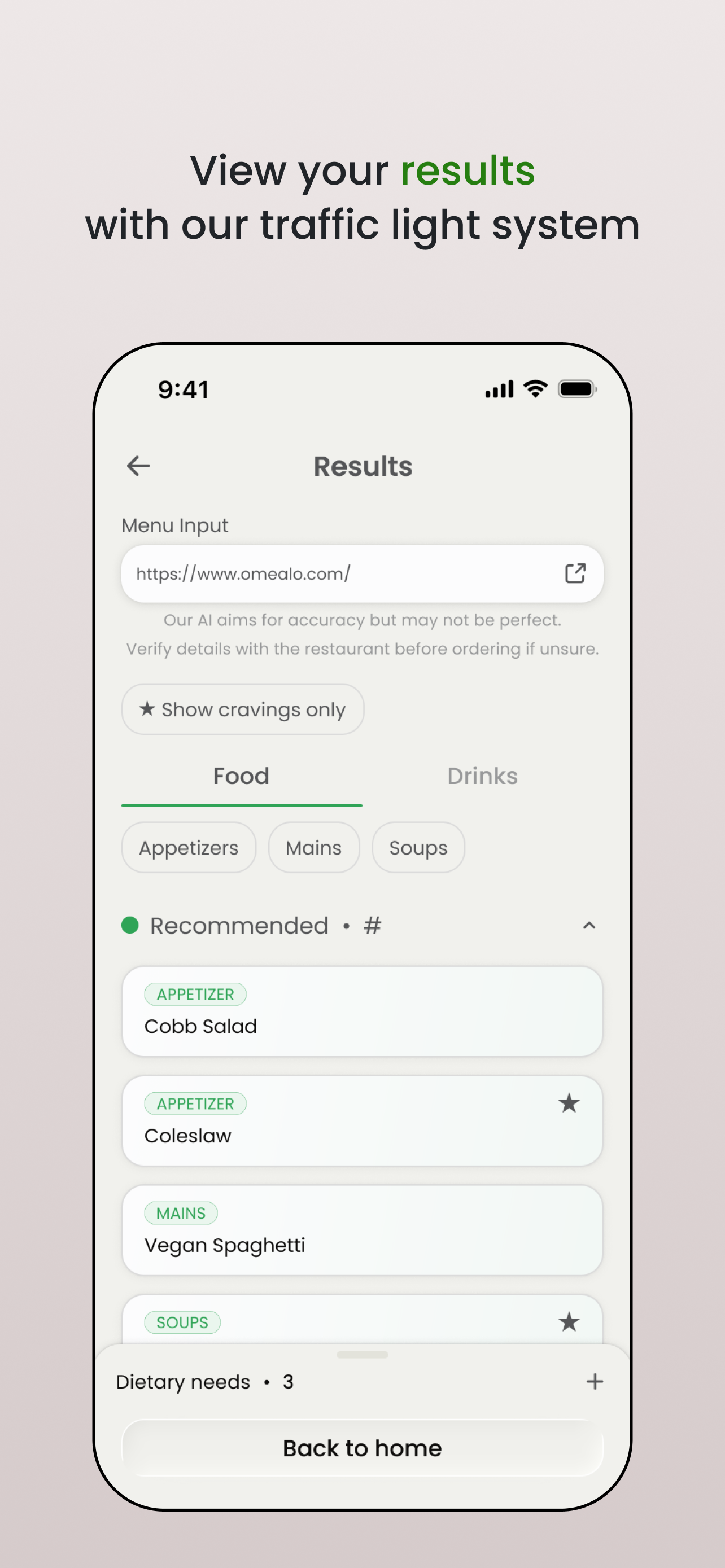
Omealo checks the menu against your filters and shows what looks like a good fit, what to check first, and what to avoid.
Use the suggestions to ask better questions, request substitutions, or choose a safer option.
What you get back
Omealo does more than give a score. It shows what fits, what to ask about, and what to avoid - so you can make a quick decision before ordering.
No dairy, meat, shellfish, or peanut ingredients detected from the menu text.
Likely contains sesame oil. Ask whether it can be prepared with another dressing.
Contains peanut sauce, so it likely conflicts with your selected preferences.
Why it matters
Shows uncertainty instead of hiding it.
Keeps the user's personal rules visible in the decision.
Turns complicated ingredient lists into direct next steps.
For restaurants
Guests can check common dietary concerns before ordering, so staff spend less time answering the same menu questions.
Turn your existing menu into a clearer guide for guests with allergies, dietary restrictions, and strong preferences.
FAQ
Omealo is built first for diners who need help deciding what to order. Restaurants can also use it to make menus easier for guests to understand.
Yes. You can try the web app at omealo.com/omealo-web-app, or download Omealo from the App Store.
No. Omealo helps identify likely concerns and questions to ask, but users with serious allergies should still confirm ingredients and preparation with the restaurant.
Email omealoapp@gmail.com.